In modern industrial automation, Variable Frequency Drives (VFDs) are critical for controlling motor speed and reducing energy consumption. When a VFD malfunctions, it can bring an entire production line to a halt, leading to costly downtime and lost productivity.
This guide walks through how to troubleshoot VFD problems, interpret fault codes, and take actionable steps to restore operation quickly. Whether you’re a plant technician, automation engineer, or maintenance lead in Southern Ontario, it will give you a practical process for VFD diagnosis and VFD repair.
Understanding VFD Operation and Common Failure Points
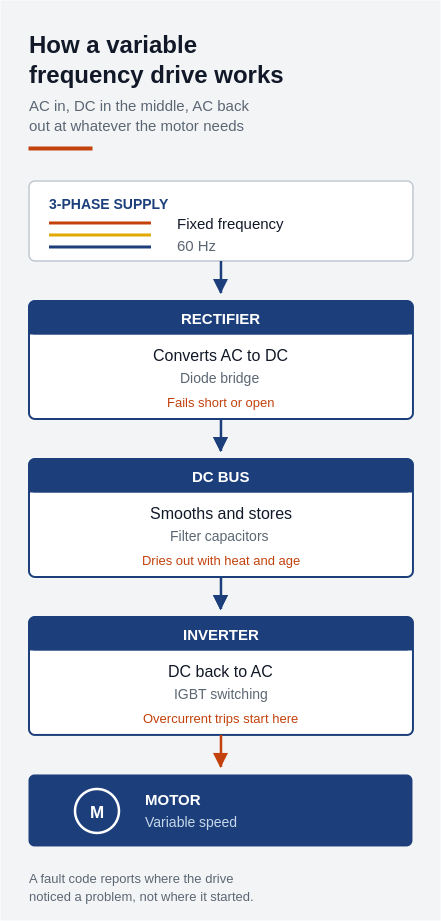
Before diving into troubleshooting, it helps to understand how a VFD works.
Function: VFDs regulate motor speed by varying the frequency and voltage of the power supplied to the motor.
Core components:
- Rectifier: Converts AC to DC
- DC bus: Filters and stabilizes power
- Inverter: Converts DC back to AC at the desired frequency
Common VFD Failure Points
- Overheating due to inadequate cooling or ventilation
- Power surges damaging internal components
- Loose wiring or poor connections
- Faulty input/output modules
- Environmental issues such as dust, humidity, or vibration
Visual Inspection Checklist for VFD Diagnosis
Start with a thorough visual check. This alone identifies many problems:
- Inspect for burnt or scorched components
- Look for damaged cables or connectors
- Check for dust buildup, moisture, or signs of corrosion
- Verify cooling fans are operational
- Ensure terminal connections are tight and secure
Tip: Keep a visual inspection checklist and run it regularly as part of your preventive maintenance routine.
Using Multimeters and Oscilloscopes for VFD Testing
Proper electrical testing is essential.
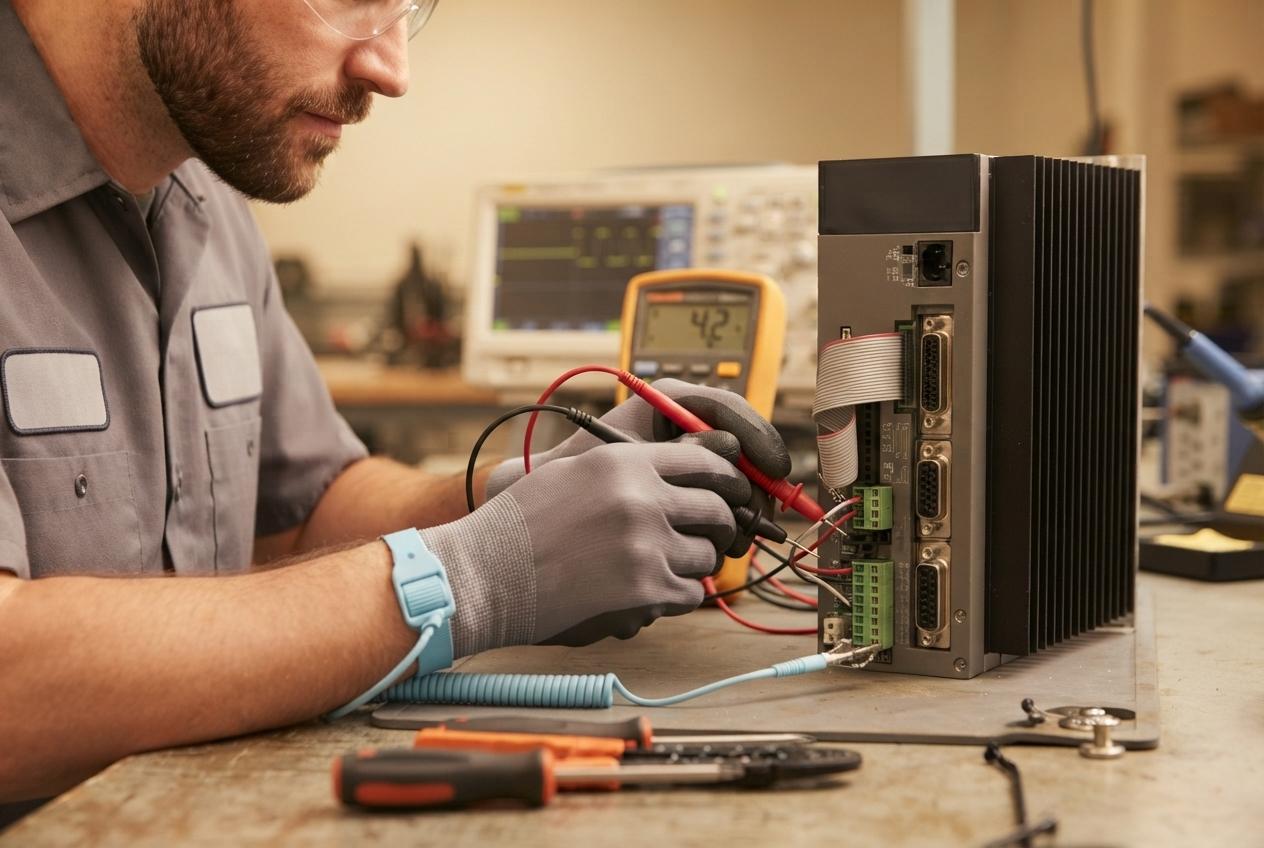
Multimeter tests:
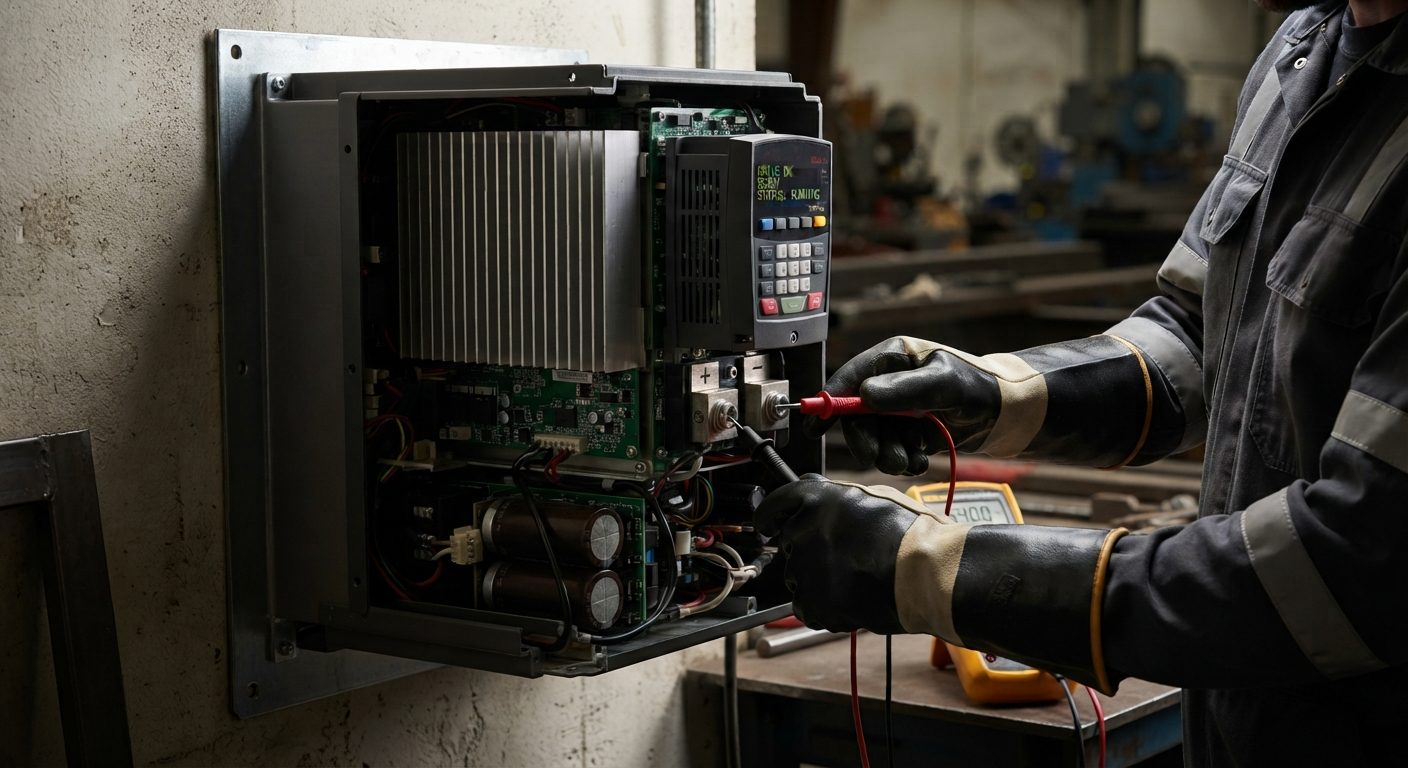
- Measure DC bus voltage — it should be approximately 1.4× input voltage
- Check output voltage consistency across motor terminals
- Test input voltage and verify it matches drive ratings
Oscilloscope use:
- Visualize waveform distortions that may indicate inverter failure
- Detect electrical noise or harmonics that could affect performance
Safety first: Always use appropriate PPE and follow lockout/tagout procedures.
Servo amplifiers fail in many of the same ways and share most of the same testing steps. See our servo drive troubleshooting guide for that overlapping diagnostic process.
Interpreting VFD Fault Displays and Alarm Codes
Each VFD model has its own codes, but these are the ones you’ll see most often:
| Fault Code | Meaning | Common Brands |
|---|---|---|
| Overvoltage | DC bus voltage too high | ABB, Allen-Bradley, Siemens |
| Undervoltage | Input power too low or unstable | ABB, Schneider Electric |
| Overcurrent | Short circuit or motor overload | Siemens, Yaskawa |
| Overtemperature | Cooling issues or internal fan failure | Delta, Mitsubishi |
| Ground Fault | Possible short to ground in wiring or motor | ABB, Allen-Bradley |
Pro Tip: Keep a printed list of your drive’s specific fault codes on hand. Most manufacturers provide downloadable fault code manuals. We service drives from all major brands.
Motor and Cable Testing Procedures
Sometimes the problem isn’t the VFD at all — it’s the motor or the cabling.
- Insulation resistance testing: Use a megohmmeter to check motor winding insulation.
- Continuity testing: Ensure motor windings and cable runs are not open.
- Phase balance test: Verify voltage and current balance across the three phases.
Note: Cables with damaged insulation can cause drive faults or permanent damage.
Environmental Factors Affecting VFD Performance
A VFD’s surroundings significantly impact performance and reliability.
- Temperature: Ensure ambient temperature stays within the drive’s rated range.
- Humidity: Excessive moisture corrodes circuitry. Use sealed enclosures where necessary.
- Dust and debris: Blocks fans and heat sinks. Clean units regularly.
- Vibration: Loosens internal components. Install away from vibrating machinery.
Southern Ontario insight: Facilities near steel mills or water treatment plants tend to see more VFD failures due to airborne contaminants and humidity. Regular enclosure inspections matter more in those environments.
Real-World VFD Troubleshooting Scenarios
HVAC Plant, Mississauga
- Issue: Overtemperature trips
- Cause: Cooling fan blocked by dust buildup
- Fix: Fan replaced, filters added to cabinet vents
Food Processor, Hamilton
- Issue: Random ground faults
- Cause: Water ingress during washdown exposed cracked insulation
- Fix: Replaced motor cable, installed sealed gland
Automotive Supplier, Kitchener
- Issue: Motor failed to reach full speed
- Cause: VFD programming had incorrect max frequency
- Fix: Reprogrammed VFD to 60 Hz max frequency
Tool Manufacturer, Guelph
- Issue: Repeated random shutdowns
- Cause: Voltage spikes from the utility supply
- Fix: Installed line reactor to filter transients
Preventive Measures to Avoid VFD Failures
- Routine inspections: Monthly checks for signs of wear or contamination
- Cleanliness: Use filtered enclosures to limit dust ingress
- Cable management: Avoid sharp bends and stress points
- Load matching: Ensure the motor is properly sized for the drive
- Firmware updates: Keep firmware current to fix bugs and improve performance
- Training: Train your team to recognize early warning signs
When to Repair vs. Replace Your VFD
Not every fault means the drive is finished. But at some point replacement makes more sense:
- Age: Over 10–12 years, parts may no longer be supported
- Recurring issues: Persistent fault codes despite repair attempts
- Unavailable parts: Obsolete drives can become unserviceable
- Efficiency: Newer drives are more energy-efficient and reliable
Quick tip: If repair costs exceed 50% of the cost of a new drive, consider replacement. Our guide to repair versus replacement decisions covers the full lifecycle analysis.
Technician Checklist: On-Site VFD Troubleshooting
- Power down and lock out equipment
- Perform a full visual inspection
- Record and decode fault history
- Verify voltages on input, DC bus, and output
- Inspect motor cable for damage
- Review environmental conditions
- Document findings and next steps
Post this checklist near your control cabinets or inside your maintenance logs.
Common Misconceptions About VFD Failures
“A fault code means the drive is broken.” Often the VFD is simply responding to an external issue — a jammed load, a power fluctuation, or an overheating motor. A significant share of VFD service calls trace back to causes outside the drive itself: incorrect motor configuration, environmental contamination, or wiring problems.
“Drives don’t need maintenance.” Even sealed VFDs benefit from periodic inspection. Dust, vibration, and heat all contribute to component fatigue, and preventive maintenance meaningfully extends service life.
“All drives work the same.” From ABB to Mitsubishi to Schneider, every brand has its own quirks and parameter sets. Technicians should be familiar with the specific models in their facility.
Software Tools and Digital Diagnostics
Many modern VFDs include built-in diagnostic tools accessible via:
- Manufacturer software such as ABB Drive Composer or Siemens Starter
- Onboard USB or Ethernet ports
- Bluetooth smartphone apps on newer models
- HMI displays integrated into control panels
These tools let you download fault history, view real-time voltage and current trends, and remotely configure parameters — especially useful for multi-location operations or sites without full-time technical staff.
Tip: Always back up your VFD parameter sets before making major changes. A copy on a USB drive or in a cloud folder can save hours during an emergency.
Best Practices for VFD Installation
If you’re replacing or installing a new drive:
- Use shielded cable for motor leads to reduce EMI, especially on long runs.
- Add line reactors or input filters to protect from voltage spikes and harmonics.
- Ground both ends of shielded cable according to manufacturer specs.
- Avoid mixing power and control wires in the same conduit — use separate runs.
- Label all wires and components clearly for future diagnostics.
Investing effort during installation dramatically lowers the chance of future service calls.
Industry-Specific Considerations
VFD applications vary across sectors, and each has its own challenges:
- Food and beverage: Frequent washdowns require NEMA 4X or IP66 enclosures to prevent water ingress.
- Manufacturing: High-speed spindles or servo systems may require drives with better acceleration and deceleration control.
- Mining and aggregates: Drives must tolerate dust, shock, and wide temperature swings.
- Water treatment: Pumps need drives with PID loop integration for flow regulation and surge protection.
If your facility operates in a specialized environment, choosing the right VFD spec matters as much as maintaining it.
Training and Documentation
A well-trained maintenance team identifies and resolves VFD issues faster, more safely, and at lower cost. We recommend:
- Annual VFD training sessions with OEMs or third-party experts
- Laminated fault code cheat sheets near each drive panel
- Updated wiring diagrams, parameter sets, and part numbers stored in a central database or digital logbook
If your VFD faults at 3 AM, your team needs answers within reach — not buried in someone’s inbox.
Restore Productivity with Smart Troubleshooting
A malfunctioning VFD can bring operations to a halt, but it doesn’t have to for long. With an understanding of how VFDs work, a step-by-step inspection and testing process, and awareness of the environmental factors and fault codes involved, your team can confidently diagnose and resolve most issues on site.
For complex or persistent problems, partner with a specialist. At KAIN Automation we provide fast, professional VFD repair and field service across Southern Ontario. Get in touch to minimize downtime and get your systems running reliably again.