Human Machine Interfaces (HMIs) are the central nervous system of any modern automated operation. Operators rely on these panels to monitor machinery and control processes safely. When an HMI fails, operators lose visibility and control, and every minute of that downtime costs money. Whether you're in food production, automotive assembly, or material handling in Southern Ontario, a failing HMI is a critical operational threat.
Usually, an HMI will show warning signs before it requires HMI repair or replacement. Catching these small issues early can prevent a sudden halt in production.
Below, we review the most common hardware and software problems. We also cover how to decide if you should repair your current panel or replace it entirely.
Signs Your HMI Needs Professional Repair or Replacement
Knowing the early warning signs of HMI failure can save your operation thousands in HMI repair and replacement. Watch out for:
- Unresponsive touchscreen or delayed input
- Flickering or blank displays
- Intermittent communication with PLCs or drives
- Frequent freezing or system crashes
- Incorrect data readings or alarming screen behavior
- Inability to boot or display startup sequence
Often, operators may dismiss these as software quirks. However, these signs usually point to underlying hardware, software, or configuration issues that require expert HMI repair or replacement.
Common HMI Hardware Failures
1. Touchscreen Malfunction
Touchscreens wear out from repeated use, harsh environments, or exposure to solvents. You might notice the screen registering touches that didn't happen (ghost touches), calibration drift, or areas that no longer respond to touch (dead zones). Moisture and electromagnetic interference (EMI) can also make capacitive screens less responsive.
2. Backlight and Display Failures
If the backlight dims or fails, operators cannot read the screen, especially in bright environments. In LCD-based HMIs, a backlight failure usually means the entire display is about to quit. Modern HMIs with LED backlighting may last longer, but are still vulnerable to overheating and power surges.
3. Communication Port Issues
Loose or damaged Ethernet, serial, or USB ports can lead to sporadic loss of communication between the HMI and connected devices. Over time, the metal pins inside these connectors wear down or rust. This weakens the signal or cuts off communication completely.
4. Power Supply Problems
Power fluctuations, poor grounding, or an ageing internal power supply (PSU) can prevent the HMI from booting or cause intermittent shutdowns. Some HMIs show brief startup flickers or cycling behavior before failing entirely. This usually means the internal voltage is unstable.
Pro Tip: Always inspect the power conditioning and surge protection near your HMI. Many premature failures stem from voltage spikes or noisy power.
HMI Software Corruption and How to Fix It
Not all HMI issues are hardware-related. Software corruption can render an HMI unusable or unstable. Bad software makes a panel freeze, crash, or act unpredictably.
Common causes include:
- Improper shutdowns or sudden power loss
- Firmware bugs or compatibility issues
- Incomplete project uploads or failed updates
- Flash memory degradation
- Malware or network-borne attacks (rare but increasing with network-connected HMIs)
HMI Software Recovery Options
- Factory Reset: Many HMIs include a hardware or software-based reset procedure to restore factory settings.
- Firmware Reinstallation: Use the manufacturer's toolkits to reflash firmware and system components.
- Project Restoration: Keep updated backups of your HMI projects and screen layouts. Store copies both onsite and in the cloud.
- SD Card Replacement: For embedded systems using external flash memory, replacing corrupted cards can restore operation.
Tip: If your panel connects to the network, always review user permissions and confirm proper firewall rules are in place. A poorly secured panel creates an easy entry point for unauthorized access to your industrial network.
HMI Calibration and Configuration Issues
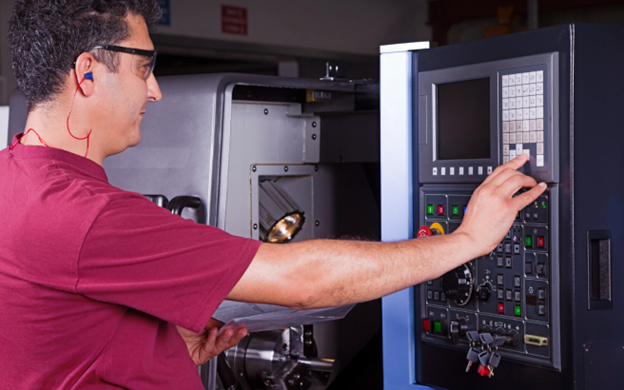
After years in service or following a repair, HMIs may lose accuracy and require recalibration. This is especially true for resistive touchscreens, which are more common in harsh industrial environments.
Common HMI Calibration Issues
- Cursor registering in the wrong location
- Buttons that don't activate properly
- Misalignment between visual interface and touch response
- Misconfigured regional settings (e.g., language, time zones)
Calibration Tools
Most panels have built-in tools to fix alignment issues. You can usually find them by:
- Opening a dedicated maintenance mode
- Tapping the screen in a specific sequence during startup
- Using manufacturer-specific software utilities (e.g., PanelView Configuration Mode, Weintek EasyBuilder, Pro-Face GP-Pro EX)
Pro Tip: Always calibrate your HMI in its installed position to account for any environmental or mounting distortions. Consider re-running calibration after major temperature changes or if the HMI has been moved.
Should You Repair or Replace Your HMI?
Deciding whether to repair or replace an HMI depends on several factors:
| Criteria | Recommend Repair | Recommend Replacement |
|---|---|---|
| Age of HMI | < 8 years | > 10 years |
| Availability of Parts | Readily available | Obsolete / discontinued |
| Frequency of Failures | First or isolated incident | Recurring faults |
| Software Compatibility | Matches current PLCs and tools | Incompatible or unsupported |
| Budget Constraints | Budget-friendly solution | Budget allows for system refresh |
| Lead Time for New HMI | Long lead times | Immediate replacements available |
The price of the hardware is only one part of the decision. You also need to factor in the risk of future downtime, the cost of rewriting your software, and the time it takes to train operators on a new screen. KAIN Automation helps facilities weigh these options to find the most cost-effective path forward.
Minimizing Production Disruption During HMI Service
Downtime is the enemy. When you need to pull an HMI off the line for repair, the goal is to get a replacement running as quickly as possible. You can speed up this process by planning ahead:
- Maintain backups of your HMI projects and configuration files.
- Preload spares or rental HMIs with the correct software image.
- Label all connections clearly to allow fast swap-out.
- Create a quick-disconnect setup for frequently failing HMIs.
- Schedule preventive checks during planned shutdowns or slow periods.
- Mount HMI panels using modular hardware for faster replacements.
Case Study: Emergency HMI Repair Saves Food Processing Plant $80,000
Background: A major food manufacturer experienced a full production halt when their main mixing line's HMI failed mid-shift.
Problem: The Allen-Bradley PanelView unit displayed only a black screen. Attempts to reboot failed. No recent backups were available onsite.
Action: KAIN Automation took the panel into our shop and found two issues: a broken internal power board and corrupted software.
Solution:
- Repaired the power supply and backlight driver
- Updated the firmware
- Pulled a backup from a secondary HMI used for training
- Reinstalled and re-commissioned the unit overnight
Result: By the morning shift, the mixing line was running again. This fast, overnight repair saved the facility an estimated $80,000 in lost production.
Case Study 2: Automotive Parts Manufacturer Avoids $12,000 Retrofit
Background: A Tier 1 automotive supplier reported frequent HMI resets and ghost touch errors on an 8-year-old Siemens TP1200.
Issue: Faulty touchscreen membrane and deteriorating capacitors on the internal power board. No compatible new HMIs were in stock, and a full upgrade would require costly software redevelopment.
Solution: KAIN Automation repaired the touchscreen membrane, replaced aged capacitors, and reinstalled the original WinCC project from backup. All work was done offsite within 48 hours.
Outcome: This quick repair saved the customer over $12,000 in software engineering costs. It also prevented weeks of downtime that would have been needed to integrate a new panel with their existing PLCs.
Bonus: Preventive Maintenance Tips for HMI Reliability
- Inspect the display's clarity and touch responsiveness at least twice a year.
- Keep panel enclosures tightly sealed. If the plant floor is hot or humid, add climate control to protect the electronics.
- Clean screens using soft, non-abrasive cleaning wipes. Never use harsh chemicals.
- Install the manufacturer's recommended firmware updates every year.
- Keep a detailed log of any software updates or edits made to your project files.
- Use electrical filters or ferrite beads to stop electromagnetic interference (EMI) from disrupting the panel's signal.
Preventive care reduces failure risk by over 40% based on KAIN service call data across Southern Ontario.
Get Ahead of HMI Failures Before They Cost You
A failing HMI stops your line and drains through your maintenance budget. With proactive repair, smart calibration, and decision-making on repair vs. replacement, you can keep your systems reliable and efficient.
Whether you're dealing with touchscreen glitches or catastrophic HMI failures, KAIN Automation offers rapid-response HMI repair and replacement services across Southern Ontario. Contact us now or request urgent service online.