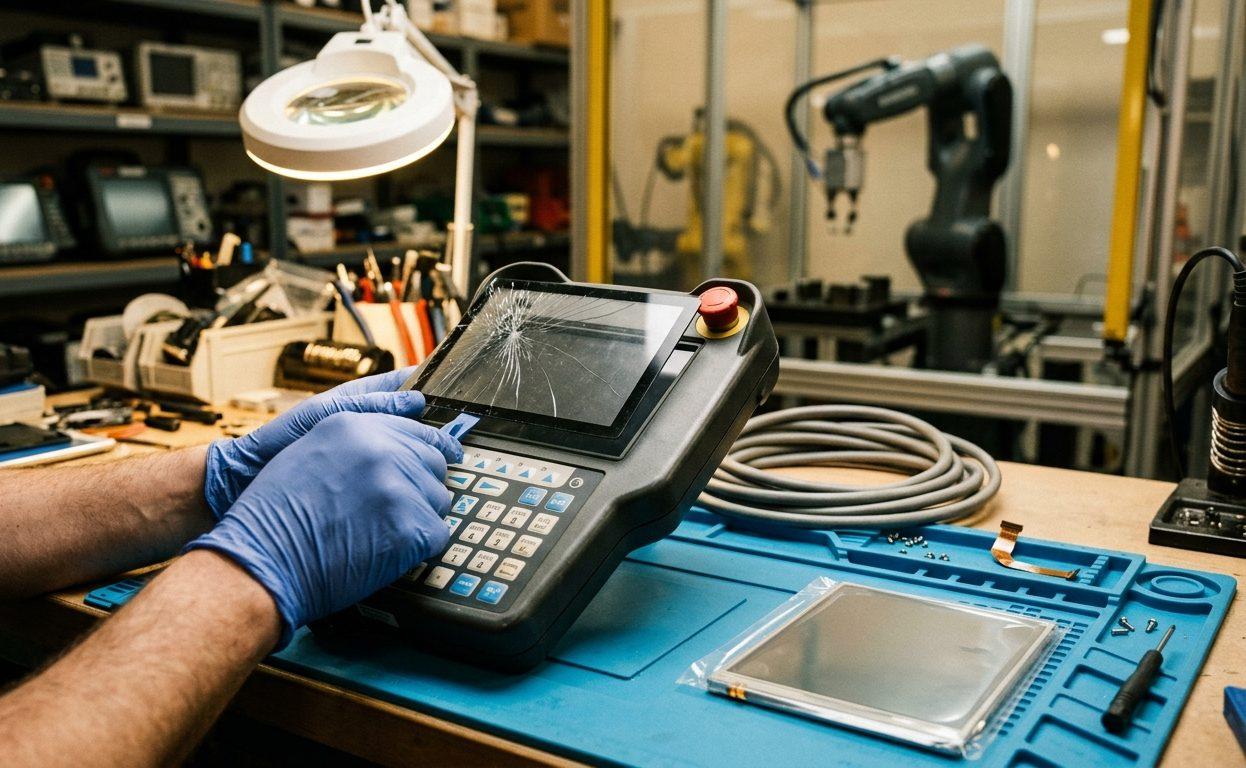
When a machine stops, the silence is expensive. Every second of unplanned equipment downtime costs money. A broken PLC, drive, or HMI can halt your production and throw your entire schedule off track.
Equipment failures are easy to handle when you have an emergency automation repair plan. This guide outlines how to prepare your team for automation emergencies to keep your downtime as short as possible.
1. Create an Emergency Response Plan for Equipment Failures
When a machine fails, your team shouldn't have to guess what to do next. A clear, written automation emergency response plan helps your team act quickly and confidently.
Key Elements of an Automation Emergency Response Plan
- Set Priorities: Rank systems by their impact on production (critical, moderate, low priority). Focus on the ones that stop everything else if they fail.
- Define Roles: Identify who will inspect the machine and who will call for emergency automation repair support.
- Establish Shutdown & Restart Protocols: Write down the steps required to shut down the machine and bring it back online safely once the issue is resolved.
- Know When to Call: Have a list of internal and external contacts ready for problems your team can't fix alone.
Keep a laminated copy of this plan at every control cabinet or workstation. When a line is down, it is much easier to follow a printed checklist than to rely on memory alone.
2. Keep Essential Tools and Spare Parts On Hand
Hours of downtime can turn into days if you are waiting for a part to arrive in the mail. Having a small stock of essential spares and the right diagnostic tools on hand is the fastest way to get back to work.
Must-Have Tools for Emergency Automation Repairs
- Multimeter with voltage, continuity, and resistance modes
- Insulation resistance tester
- Portable oscilloscope or signal tracer
- PLC programming cable and software
- Diagnostic laptop with drive/PLC OEM software
- Torque screwdriver and precision hand tools
- Label printer and zip ties for rapid re-tagging
Spare Parts to Keep in Stock
- Spare PLCs, HMIs, and I/O modules
- Power supplies and fuses
- Contactors, relays, and sensors
- Industrial network switches and patch cables
- AC and DC drive modules (especially common ratings)
- Emergency stop buttons and safety relays
- Pre-programmed SD cards or USB backups of logic files
Pro Tip: Store spares in a clean, static-free (ESD-safe) cabinet. Track your inventory to make sure you haven't used up your last fuse or relay without organizing a replacement. Update this inventory at least quarterly.
3. Practice Quick Diagnostic Techniques for Urgent Situations
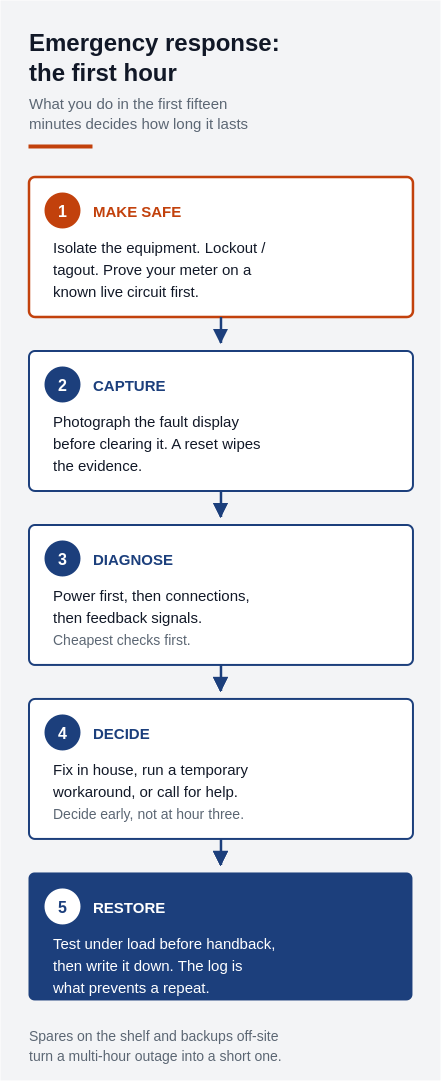
When the line stops, you feel the pressure to move quickly. However, rushing through an emergency can lead to mistakes. Taking a simple, step-by-step diagnostic approach saves more time than troubleshooting based on guesswork.
How to Find the Fault
- Look for the Obvious: Start with a visual inspection. Look for tripped breakers, loose cables, and the smell of burnt electronics. Check the status LEDs on the controller.
- Check the Error Codes: Most PLCs, drives, and HMIs display fault codes. Use manuals or software to decode them.
- Cycle Power Safely: A power reset often clears transient faults. Do this only after ruling out electrical hazards.
- Swap Parts & Test: If you have a spare module, try swapping it with the one you suspect is broken. If the machine starts working, you've found the problem.
- Try Bypass Mode: Use manual or maintenance mode on control panels to test systems without full logic execution.
- Divide & Conquer: Disconnect peripheral devices to determine if the issue lies upstream or downstream.
Avoid These Mistakes
- Changing too many things at once: If you swap out more than one part at the same time, you won't know which one was actually broken.
- Restarting equipment with unresolved shorts: If a fuse blows, there is usually a reason. Check for shorts before you just pop in a new one.
- Failing to document changes: It is easy to forget what you changed during the rush; write down your steps so you can make a permanent fix later.
Efficient troubleshooting combines experience, data, and a calm approach, even in high-pressure moments.
4. Know When to Call Professional Emergency Repair Services
Most teams can handle a tripped breaker or a loose wire. But some failures require specialized tools or knowledge that you might not have in-house. Knowing when to call for help can save hours of wasted effort.
Signs You Need External Help
- Drive, PLC, or HMI failure beyond diagnostic capabilities
- No access to proprietary or OEM-specific programming tools
- Multiple failed attempts to restore operation
- Physical damage to boards, relays, or components
- Unavailability of spare parts or backups
What to Look For in an Emergency Repair Provider
- Same-day or 24/7 service availability
- Experience with industrial electronics (not just electricians)
- On-site or depot repair options
- Transparent pricing and clear timelines
- Technical support with access to PLC and drive software
- Ability to repair and reprogram multiple brands (e.g., Siemens, Allen-Bradley, ABB, etc.)
If you're in Ontario, a strong partner like KAIN Automation provides not only rapid response, but detailed diagnostics and full repair capabilities on industrial controls.
5. Keep the Line Moving with Workarounds
In a crisis, the goal is often to get production moving again, even if the fix isn't perfect yet. Temporary solutions can buy enough time to complete a shift or wait for a specialized part.
Effective Temporary Solutions
- Manual Bypass: If an HMI is down, use physical switches or jumpers to activate motor starters or relays.
- Spare Equipment Rotation: If a critical line is down, consider moving a PLC or drive from a less important machine to get the main line running.
- Load Share: Shift production to another machine while repairs are in progress.
- Offline Control: Run a machine manually using a simplified input method until the automation is restored.
- Patch Logic: If your PLC/HMI software allows, create a stripped-down emergency routine that runs only the critical sequence.
Cautions
- Always document every temporary change.
- Make sure bypassed safety devices are clearly labelled and that everyone on the floor knows the machine is running in a limited mode.
- Inform operators of any hazards or limitations.
These stopgap measures should be rolled back as soon as full functionality is restored, but they can save hours of lost output in the meantime.
6. Learn from the Emergency
Once the fire is out and the pressure is off, it's time to learn from it. Skipping this step leads to repeat failures—and escalating costs.
Post-Emergency Checklist
- Document the Failure: Write down what failed, why it happened, and exactly what was done to fix it.
- Log All Repairs and Changes: Include spare parts used, programs downloaded, and configurations modified.
- Identify Root Cause: Ask why the failure occurred. Was it heat, age, or a mechanical issue? Use tools like the "5 Whys" or fishbone diagrams to drill into mechanical, electrical, or programming faults.
- Update SOPs and Response Plans: Reflect what worked and what didn't in your response strategy. If the response was slow because a tool was missing or a phone number was wrong, fix the response plan immediately.
- Add to Maintenance Schedule: If a recurring issue was found (e.g., failing I/O terminals), schedule preventive checks.
Root cause analysis isn't just paperwork—it's the difference between being prepared or caught off guard next time.
7. Find a Reliable Automation Repair Partner in Ontario
Your emergency automation repair strategy is only as strong as the team behind it. Having a relationship with a specialist before a failure happens can make all the difference.
How to Vet and Build Strong Vendor Relationships
- Visit their facility: Make sure they have in-house diagnostics, repair benches, and ESD-safe areas.
- Ask about certifications: Look for IPC-trained techs or manufacturers' partnerships.
- Test with non-urgent repairs: Send in standard drive or HMI repairs to evaluate quality and turnaround.
- Discuss emergency response agreements: Set clear SLAs for onsite vs depot service.
- Stay in regular contact: Treat your repair vendor like an extension of your team.
Benefits of a Trusted Emergency Repair Partner
- Rapid diagnosis and quote turnaround
- Preloaded spare units for immediate swap
- Ongoing equipment audits and health reports
- Engineering support for PLC/HMI reprogramming
- Fewer surprises and better uptime overall
In Ontario, KAIN Automation is trusted by manufacturers for dependable, fast-response industrial emergency service—helping you stay productive no matter the crisis.
Be Ready, Not Reactive
Emergency automation repair is easier to manage when the tools, plan, and experts are already in place. With a documented plan, stocked inventory, and strong vendor relationships, you can reduce equipment downtime from days to hours—or even minutes.
Emergency Automation Repair Checklist
- ✓ Documented response plan at every control panel
- ✓ Essential tools and software ready
- ✓ Spare parts inventory updated quarterly
- ✓ Reliable emergency service partner identified
- ✓ Program backups stored securely
- ✓ Root cause analysis after every event
- ✓ Operators trained on quick diagnostic steps
Need Emergency Automation Repair Now?
KAIN Automation offers fast-response industrial emergency service across Southern Ontario. From PLCs and drives to HMIs and sensors, we help you recover quickly and prevent it from happening again. Contact us now or request urgent service online.